
84 lines
3.4 KiB
Markdown
84 lines
3.4 KiB
Markdown
# Vincent's MarkDown
|
|
|
|
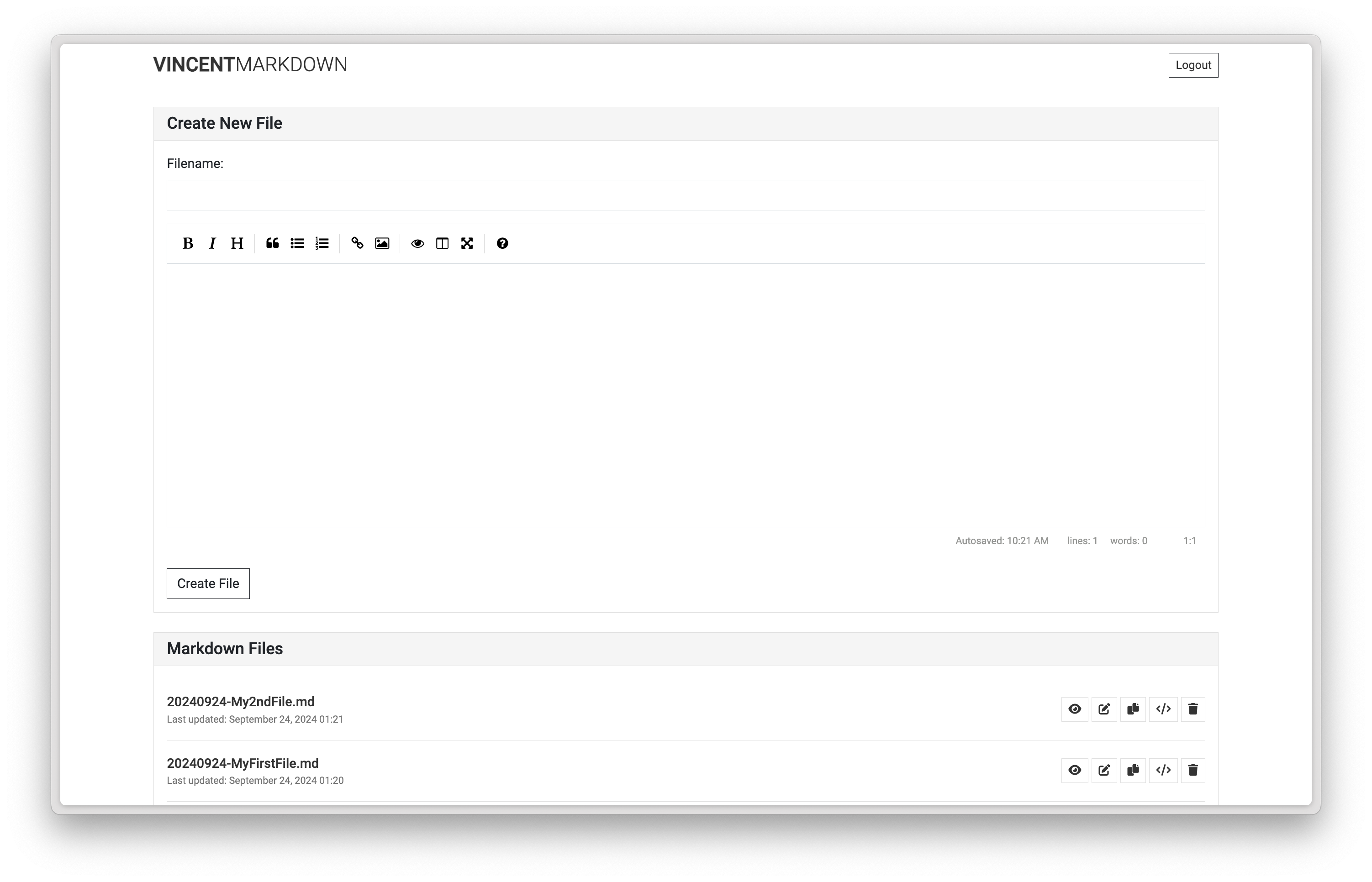
This is a quick and dirty PHP-based web application for managing and viewing Markdown files. I designed it as a straightforward solution for personal use or small-scale deployments, prioritising simplicity over advanced features.
|
|
|
|
|
|
|
|
## Disclaimer
|
|
|
|
I want to be clear: this application is a basic, no-frills solution. I didn't design it for large-scale or high-security environments. Use it at your own risk and consider implementing additional security measures for sensitive deployments.
|
|
|
|
## Features
|
|
|
|
Here's what my app can do:
|
|
- Create and edit Markdown files with an easy-to-use interface
|
|
- Show a list of all Markdown files, sorted by last modified date
|
|
- Render Markdown files as HTML for easy viewing
|
|
- Delete unwanted files
|
|
- Copy shareable URLs for each file
|
|
- View files as HTML
|
|
- Responsive design for both desktop and mobile devices
|
|
|
|
## Requirements
|
|
|
|
To run this, you'll need:
|
|
- PHP 7.0 or higher
|
|
- Web server (e.g., Apache, Nginx)
|
|
- Modern web browser
|
|
|
|
## Installation
|
|
|
|
1. Clone this repository to your web server's document root or a subdirectory.
|
|
2. Set your pasword in the index.php file.
|
|
3. Make sure the `files` directory is writable by your web server.
|
|
4. Configure your web server to serve PHP files.
|
|
5. Access the application through your web browser.
|
|
|
|
## Usage
|
|
|
|
Here's how to use it:
|
|
- Create a new file: Enter a filename and content in the form at the top of the page, then click "Create File".
|
|
- Edit a file: Click the edit icon next to the file name in the list.
|
|
- View a file: Click on the file name or the eye icon.
|
|
- Delete a file: Click the trash icon and confirm the deletion.
|
|
- Copy a shareable URL: Click the copy icon next to the file.
|
|
- View a file as raw HTML: Click the code icon.
|
|
|
|
## Security
|
|
|
|
I've implemented some basic security measures:
|
|
- CSRF protection for form submissions
|
|
- Input sanitisation to prevent XSS attacks
|
|
- Directory traversal prevention
|
|
- Restriction on allowed file extensions
|
|
|
|
But **remember**, this is a quick and dirty solution. It may not be suitable for handling sensitive information or use in high-security environments. Use at your own discretion and implement additional security measures as needed.
|
|
|
|
## Customisation
|
|
|
|
Feel free to customise the app! You can modify the appearance by editing the `styles.css` file. If you want to extend or modify the JavaScript functionality, check out the `scripts.js` file.
|
|
|
|
## External Libraries
|
|
|
|
I've used several external libraries to enhance the functionality. I'm using the latest versions available via CDN for each:
|
|
|
|
- [Bootstrap](https://getbootstrap.com/) - For responsive design and UI components
|
|
- [EasyMDE](https://easymde.tk/) - For the Markdown editor
|
|
- [Font Awesome](https://fontawesome.com/) - For icons
|
|
- [Marked](https://marked.js.org/) - For Markdown parsing
|
|
- [Google Fonts](https://fonts.google.com/) (Roboto) - For typography
|
|
|
|
I'm really grateful to the maintainers and contributors of these libraries for their excellent work.
|
|
|
|
## License
|
|
|
|
I've licensed this project under the MIT License. Check out the [LICENSE](LICENSE) file for details.
|
|
|
|
## About Me
|
|
|
|
[https://vincentrozenberg.com](https://vincentrozenberg.com).
|
|
|
|
## Contributing
|
|
|
|
Even though this is a simple, quick and dirty solution, I'm open to contributions! If you have improvements or bug fixes to suggest, please feel free to submit a Pull Request.
|